Starlink That Actually Works for Remote Gippsland
Reliable internet is no longer a nice extra for regional businesses; it is a basic tool. When EFTPOS drops out at the counter, VoIP calls cut mid-sentence, or your cloud accounting stalls while you are trying to finish invoices, everything grinds to a halt. For many sites across East Gippsland and the Latrobe Valley, this tends to happen right when trade is at its peak and every minute of downtime hurts.
Starlink has changed what is possible for many remote and regional locations. Instead of slow or patchy links, Starlink can deliver city-like speeds where NBN fixed wireless or 4G are unreliable or overloaded. The real trick is planning it properly so it works where you are, suits how your business runs, and fits into a broader plan that keeps POS, VoIP, and cloud apps running even when one service has issues.
In this article, we walk through how to decide if Starlink suits your Gippsland site, what to think about before installing it, how to design your network around it, and how to build a backup internet setup that keeps your doors open when other links drop.
Is Starlink Right for Your Gippsland Site?
Starlink is not magic, it still follows the laws of physics. The dish needs a clear view of the sky, especially to the south where the satellites pass. Trees, hills, and nearby buildings can cause short drops in signal that quickly add up to a frustrating experience for VoIP and POS.
A professional site survey can help by checking:
- Line of sight to the sky
- Roof access and safe mounting points
- The best height to clear trees and sheds
- Cable paths back to your modem or rack
Matching Starlink to your business needs is just as important. Different sites use the internet in different ways:
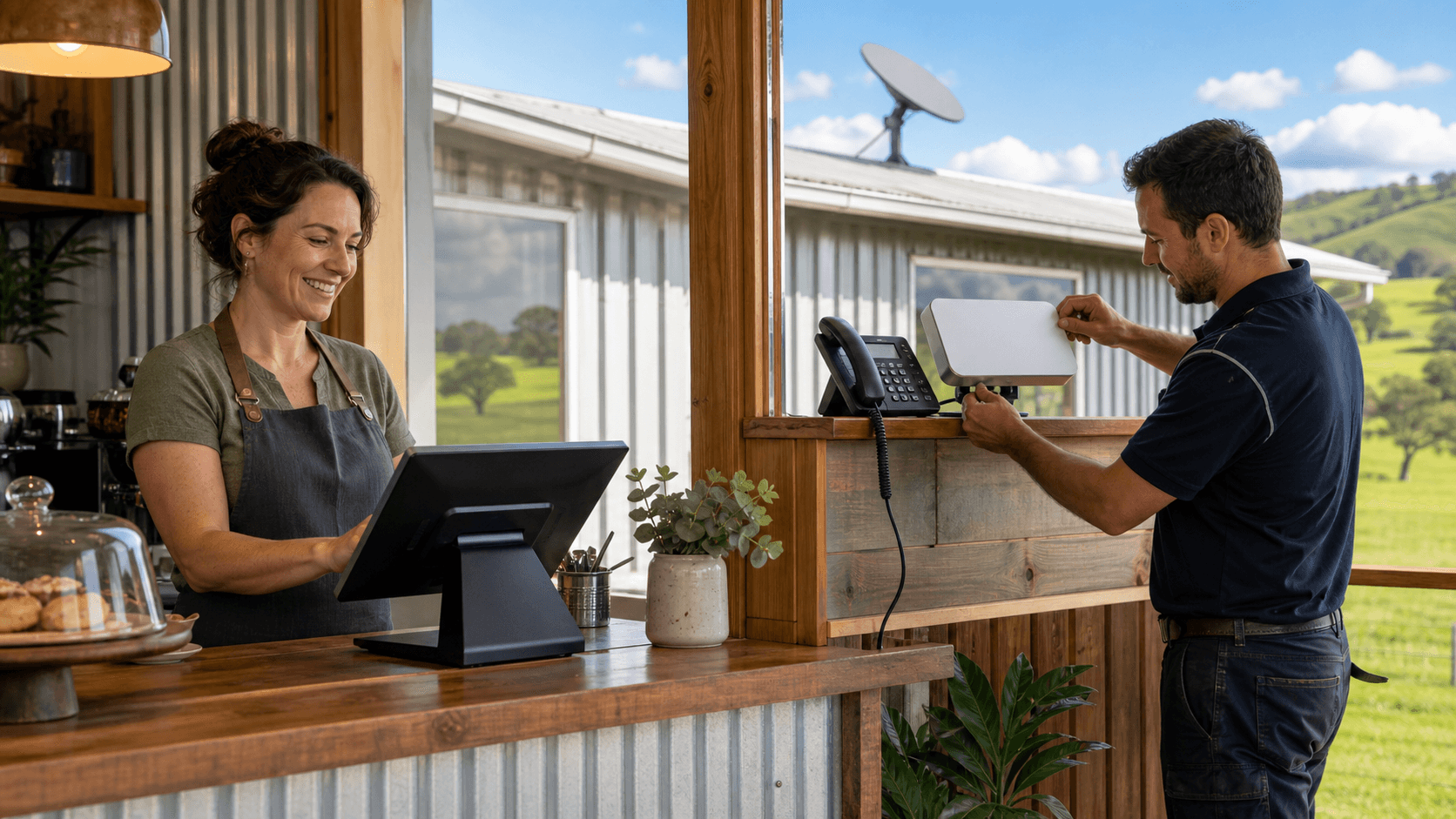
- Cafes and retail: POS, EFTPOS, music streaming, some guest Wi-Fi
- Accommodation: bookings, cloud PMS, streaming in rooms, busy holiday peaks
- Farms: cloud farm-management tools, remote cameras, staff using mobiles and laptops
- Offices: VoIP phone systems, video meetings, remote desktop and large file sharing
For VoIP, video meetings and remote desktop, latency and stability matter more than pure top speed. Starlink can support these, but only when the signal is clean and the network on site is set up properly.
It is also worth comparing Starlink to what you already have. Some sites sit on unreliable NBN fixed wireless or overloaded 4G. Others have decent NBN but need a better backup. Compared with older satellite services, Starlink generally offers higher speeds and lower latency, but it can still be affected by weather and temporary congestion.
In many cases, the best approach is a mix, for example:
- Starlink as main connection, NBN or 4G as backup
- NBN as main connection, Starlink as performance upgrade and secondary link
This way you are not relying on a single service for everything.
Planning Starlink Installation in Gippsland Properly
Getting the dish in the right spot matters a lot, especially with local weather. Gippsland can see strong winter winds, heavy rain, and, in higher areas, snow and ice. A loose or flimsy mount can shift, twist, or leak, which then leads to dropouts and water damage.
Common mounting options include:
- Single-storey shops in town
- Farm sheds and machinery sheds
- Double-storey homes and office buildings
- Motels, caravan parks and accommodation venues
A professional installer will choose secure, engineered mounts and fixings suited to your roof type, then route the cable carefully from the roof to your modem or network rack. This avoids things like:
- Cables rubbing on sharp edges
- Untidy runs through doorways or windows
- Gaps that let water into the building
- Trip hazards across floors or verandas
Once the dish is in, it has to work with the rest of your network. Many businesses already have routers, firewalls, Wi-Fi access points and switches. Starlink needs to be connected in a way that:
- Keeps guest Wi-Fi separate from POS and office devices
- Supports VPN tunnels for remote access or head office links
- Allows traffic rules so VoIP and EFTPOS get priority
Quality routers can handle automatic failover, load sharing between links, and traffic shaping so the connection feels consistent even when it is busy.
Local conditions also matter. Storms, strong winds, heavy rain and busy tourist periods all place extra load on your setup. Planning and installation before the next busy summer and holiday period means you can test and tune things while trade is steady, instead of rushing to fix problems when the car park is full.
What Starlink Really Costs for Business Use
There are two main parts to think about: getting it in, and keeping it running.
Upfront, you will need the Starlink kit plus professional installation. The hardware cost depends on the type of kit you choose. Installation cost can change based on:
- Roof height and access
- Cable length and routing difficulty
- Distance from dish to modem or network rack
- Any extra mounting or weather-proofing needed
Many businesses also take the chance to tidy up their networks at the same time, with a new router, better Wi-Fi access points, or fresh cabling. Doing this work together is often smoother than trying to fix one problem at a time later.
On the ongoing side, there are different Starlink plan types. Residential-style plans can work for some smaller sites, while business-focused plans may suit locations where POS, VoIP and cloud tools must stay online as much as possible. Business options can include priority data and higher throughput, which are helpful for busy accommodation, retail hubs, or offices with heavy use.
Typical usage to keep in mind includes:
- Cloud accounting and business apps
- Security cameras and remote viewing
- Remote backups and file syncing
- Streaming media in staff areas or guest rooms
With the right network setup, backups and large updates can be scheduled for off-peak times so they do not interfere with trading.
Instead of focusing only on speed, it helps to think of Starlink as part of your core infrastructure, similar to power or insurance. A slightly higher monthly spend that keeps payments, phones and cloud tools working can often avoid far larger losses from downtime. Including a small allowance in your yearly IT plan for check-ups, firmware updates and, later on, possible hardware replacements makes the total cost more predictable.
Designing Backup Internet for POS, VoIP, and Cloud
For many Gippsland businesses, even a short outage at the wrong time is a big problem. When EFTPOS stops during school holidays or a long weekend, queues build, customers walk away, and staff feel the pressure. VoIP phones dropping mid-call or cloud apps timing out can also slow things down fast.
No single service is perfect. Starlink is strong, but storms, hardware faults or issues upstream can still cause interruptions. That is why backup internet should not be an afterthought.
A common setup for smaller sites might be:
- Starlink as the main connection
- A 4G or 5G mobile service as backup, or an NBN link where available
- An intelligent router that switches links automatically when it detects a problem
On the backup link, the router can temporarily prioritise the traffic that actually keeps you trading:
- POS and EFTPOS terminals
- VoIP phone calls
- Key cloud apps like accounting or booking systems
Guest Wi-Fi, streaming and large downloads can be slowed or paused until the main service is back.
Quality-of-service (QoS) tuning is also important. By shaping traffic carefully, we can help make sure that:
- Voice calls stay clear, without jitter or echo
- Payment terminals keep a reliable path to their payment gateway
- Cloud tools respond as quickly as possible, even during updates
Local IT support makes a difference here. When the people who designed and installed your network are nearby and understand how your site is wired, they can troubleshoot faster and keep your internet plan, Starlink setup and backup services working together smoothly.
Get Your Gippsland Business Starlink-Ready Now
A good first step is to look honestly at your current internet. Think about the last few months. Have you had dropped calls, failed card payments, staff complaining about slow cloud logins, or guests annoyed about Wi-Fi? These are all signs that your current link or network design might be holding you back.
If you expect growth in trade, tourism or staffing, planning a connectivity upgrade before your next busy season is smarter than rushing under pressure. A clear plan for Starlink installation in Gippsland, combined with a tidy network and sensible backup internet, helps keep your business operating even when other services struggle.
Get Started With Your Project Today
If you are ready to improve your connection with reliable Starlink installation in Gippsland, we are here to help with planning, setup and support. At EastTech Solutions, we tailor each install to your property and the way you actually use the internet. Reach out to our team to talk through your options or book a visit, and we will handle the rest. If you have questions or want to schedule a time, simply contact us.